
Fixed trip data
1 GB
Valid for 7 days
$2.38one-time
Morocco 1GB 7Days
- Network
- Orange Morocco
- Activation
- Starts on first network connection
Choose a prepaid eSIM, pay once, and receive digital installation details on your private order page.
Plans from $0.60 USD · one-time payment

Start with one of these practical fixed-data plans, or compare the full catalogue for daily options.
Fixed trip data
Valid for 7 days
Morocco 1GB 7Days
Fixed trip data
Valid for 15 days
Morocco 3GB 15Days
Fixed trip data
Valid for 30 days
Morocco 10GB 30Days
Need a different allowance or trip length?
View all plansNo physical SIM swapping. Complete the installation on reliable Wi-Fi before your trip.
Compare supplier-listed fixed data and daily high-speed allowances. The catalogue shows every active Morocco package we receive.
Scan your QR code or enter manual codes before departure while connected to stable internet.
In Morocco, select the eSIM for mobile data and follow the package's activation and roaming instructions.
Your phone must have eSIM hardware and be carrier-unlocked. Dial *#06# on your phone keypad — if an EID number appears, your phone has eSIM hardware.
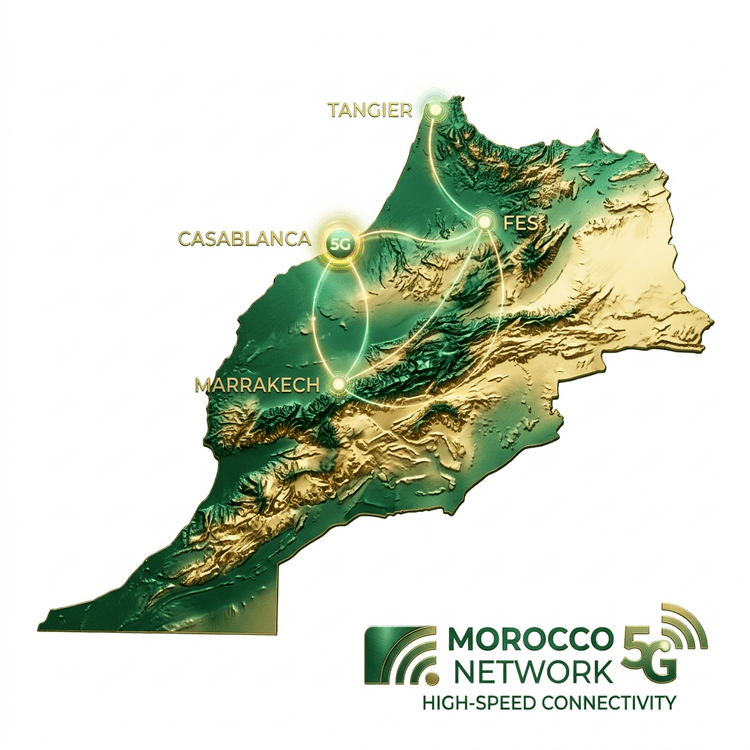
Operator and access-technology details are shown only when eSIM Access supplies them for a package. Actual service depends on local coverage and network conditions.
Practical Morocco eSIM advice
Clear answers on compatibility, setup and plan timing, with links to the original manufacturer and supplier sources.
Start here 4 min read
A practical, source-linked guide to checking your phone, comparing Morocco eSIM packages, timing installation and connecting on arrival.
Read guideDevice compatibility 3 min read
Check the exact model, regional variant, EID and carrier lock before buying a Morocco travel eSIM.
Read guideActivation and validity 3 min read
Understand profile installation, first connection and validity start so you do not accidentally begin a plan too early.
Read guideAn eSIM is a digital SIM built into compatible phones. You install the mobile plan digitally, so there is no physical SIM card to collect or swap.
It depends on the specific supplier plan. The plan page states whether validity starts when the eSIM is installed, when it first connects to a supported network, or after purchase. Review this before paying.
Usually, yes, if your phone supports the required dual-SIM combination. Use the Morocco eSIM for cellular data and keep data roaming disabled on your home SIM to avoid charges from your usual carrier.
After verified payment, you are returned to a private order page. It shows provisioning progress and provides the QR code, manual activation details, ICCID, and available usage information when the supplier has issued the eSIM. Keep that private link safe.
Get practical help with checkout, installation, activation and connection settings.